Thunderbird adventures
I use Thunderbird as my mail client, keeping it up to date to the latest version, Tb 9, thanks to Remi's repo, all on a Fedora 14 desktop. It may use a bit more resources than I like (my desktop is an old computer, with limited RAM amount), but overall I get by.
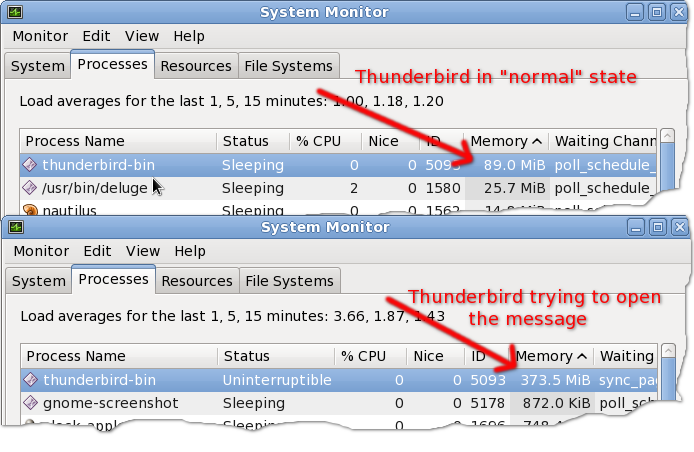
Not so much the other day, when I was sent a scanned image to crop and adjust it and I just tried to do that. Naive me! An email with an 7.2 MB attached JPEG rendered the mail client unusable and the entire desktop almost unusable: a memory consumption increase from 89.0 MB (Thunderbird "normal" usage) to 373.5 MB (trying to open that particular message) it may not look like such a killer but somehow that was the effect:
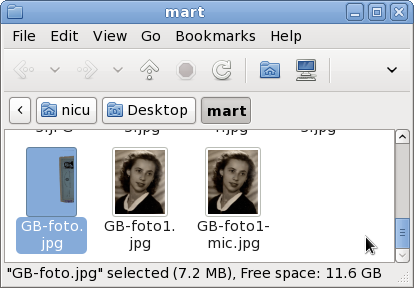
In the end I managed to download the attachment and learned the problem: it was a 7.2 MB big image, but the resolution was 9924 x 14039 (don't ask, whoever scanned the image, scanned a full A4 for a small, university diploma sized image, and made it at a huge DPI, so the result can be printed big size. I said "don't ask"). No wonder it was a killer to try and decompress it in RAM.
Now the next challenge, edit the image: crop, rotate, remove cracks and scratches, delete a stamp, improve colors and so. I bet you guessed already: GIMP can't open it, at least my GIMP 2.7.1 (the newest available for Fedora 14) tried with no result until I killed it after over 10 minutes of waiting (yeah, I know, don't preach me the benefits, working with large size images is one of the real benefits of Photoshop).
Fortunately, it was possible to open the image for viewing and Shotwell has a crop function included. Once the important part of the image was cropped all was well, GIMP did the job, another success was checked.


 Posts
Posts


gthumb also has a crop function and I've also used it to successfully shed off some body fat from some insanely huge .JPEG files.
ReplyDelete@Dexter
i used to use gthumb too until the some redesign cut many of the features, rendering it almost pointless, from which point i uninstalled it for good (a shame, it was my favorite)
ReplyDeleteI can totally relate to the author's experience with Thunderbird struggling to handle a massive image attachment, causing a significant increase in memory consumption. It's impressive how they managed to find a workaround by using Shotwell's crop function and eventually getting GIMP to edit the image successfully. These kinds of challenges remind us of the value of having powerful tools and the determination to find creative solutions.
ReplyDeleteNavigating the Thunderbird adventure on an aging Fedora 14 desktop seems like threading a fine line between functionality and frustration. The vivid description of the memory struggle with a colossal 7.2 MB image attachment made me wince in sympathy. It's like trying to fit a square peg in a round hole, but the author's resourcefulness in overcoming the hurdles and finding a way to edit the image with Shotwell and GIMP showcases the triumph of perseverance in the digital realm. Kudos to the author for turning a potential tech disaster into a skillful maneuver through the Thunderbird turbulence!
ReplyDelete