Panoramic images with Fedora and Hugin
After Richard showed a panoramic photo made with Hugin and Kushal followed with his own, I tried to overcome the bad impression from my first encounter with the application, which was a total failure, and try again, using some old photos I had around:

The trick was to 1. use an automatic stitcher (not available in Fedora due to patent restriction in the USA) and 2. do a batch resize (simple ImageMagick usage), so the file sized, bot for working images and final result, are manageable.
The first step was to install the autopano SIFT plugin from RPM Fusion:
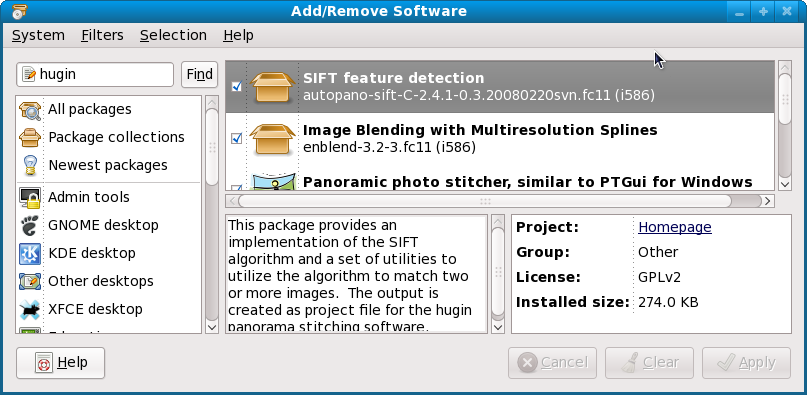
And then go to Hugin's preferences and replace the stub script with the working one (this was not obvious to me at first, had to dig a bit):
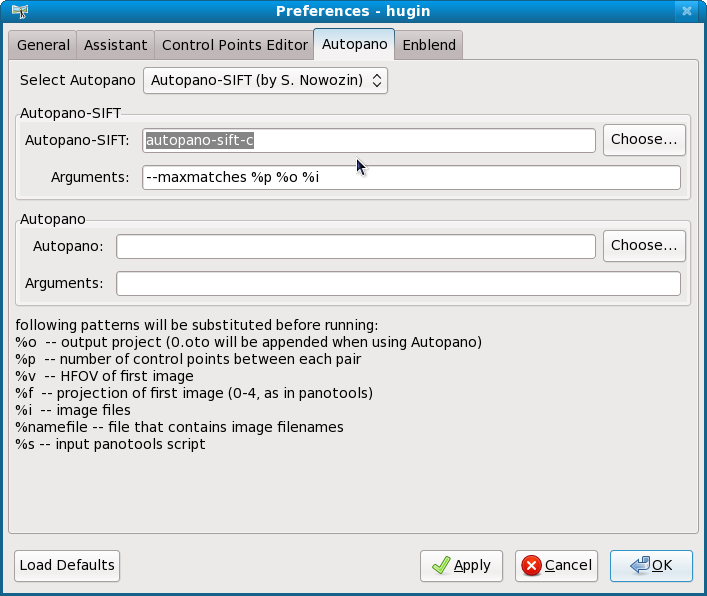
And that is all, now you can use Hugin at will and compose your own panoramic images.


 Posts
Posts


No comments:
Post a Comment