

Am deschis!
4 years ago
I wrote the other day about me upgrading my system in order to be able to run the Preview Release of GIMP 2.8, I have it up and working, ready for real work: a preview of the new features to be expected.
So the new GIMP 2.8 release is currently in the Release Candidate stage, the final release may come any time now (wild guess: the Libre Graphics Meeting conference is taking place in a couple of weeks and it will bring together a number of its developers), previews and reviews are starting to appear, is a big deal since this release is about 1.5 years late - it was expected since December 2010 but got delayed again and again - probably it was not sexy enough for the developers, who are excited about the next release, 2.10, which is going to deliver more meaty stuff.
Major user interface change
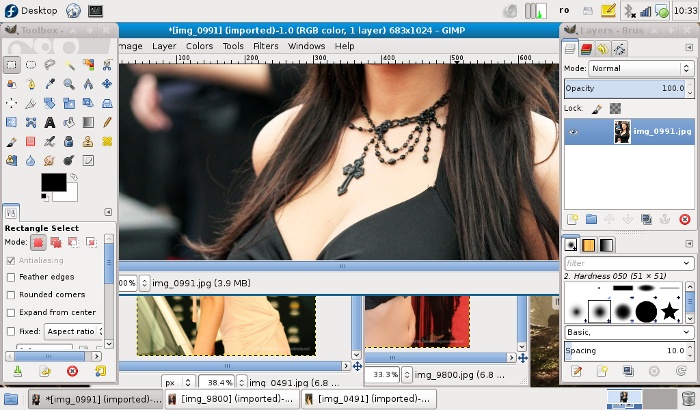
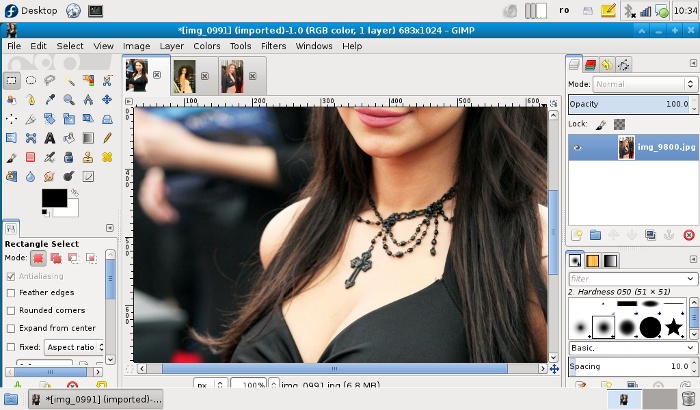
What make titles for this release is the big interface change (I wrote about it before) which introduced optionally (not yet as default) a Single-Window Mode (activate it in the "Windows" menu). From what I see, newbies will like it, finding it less scary (my girlfriend is a good example, she saw me preparing the article, I showed her the differences, she "definitely" liked the single-window mode - she does photo editing, but with simpler apps, no GIMP, no Photoshop). Photoshop nay-sayers will hate it, they will hate anything but a total Photoshop interface cloning, which will never happen (and that is a good thing). For the rest of us, the opinion will be split, I find the single-window mode wasting more screen estate, especially on the netbook, and harder to use when working with multiple images at once. For those reasons I keep using the multi-window mode. But the single-window mode is cleaner. Here's a comparison, you decide:
Underlying library work
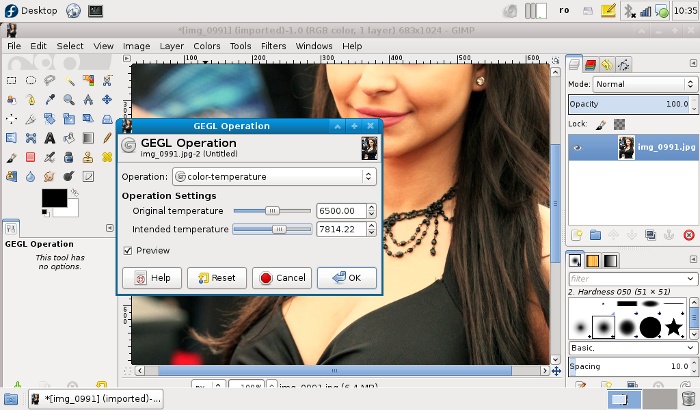
What's really important, but maybe less user-noticeable, is behind the scene: library work. GIMP 2.8 is an intermediary step in the progress for GEGL integration (GEGL is a graph based image processing framework that will provide the core for GIMP, allowing for much advanced features). This process started with GIMP 2.6, advanced with 2.8, will be finished in 2.10. Expect the real meaty features (like high depth color channels) in the release after 2.10 (is not know if it will be labelled 2.12 or 3.0). For now GEGL is used in some UI elements and some optional filters and tools:
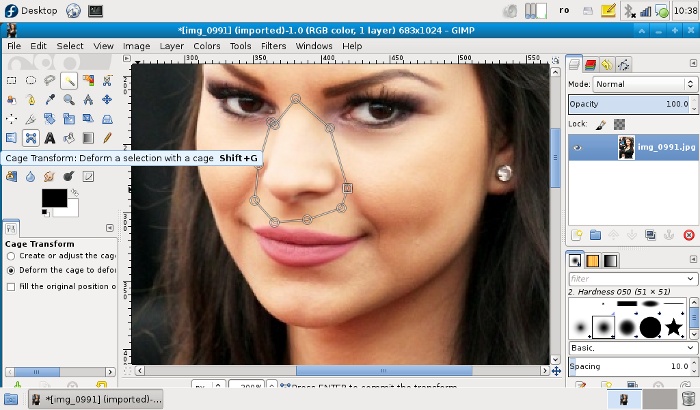
Cage Transform Tool
Another feature that will make headlines is the introduction of a new tool: Cage Transform. It was developed as a GSOC project a couple of years ago and now is the time to appear in a first release. It allows do define an area (as a polygon) and then apply deformations of the parts of the image inside, by moving the nodes - while spectacular (expect a wave of digital breast enhancements), it is mostly a technology showcase for GEGL, used behind the scene, and cairofication, which allows for the on-canvas editing, expect something really useful later (2.10 or even later) in an on-canvas version of the iWarp filter which will hopefully be a worthy replacement for Photoshop's Liquify tool.
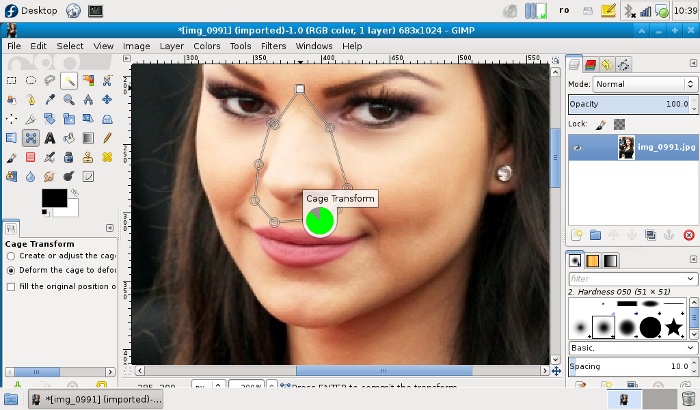
On-canvas progress indicator
Grace to cairofication, some tools have now an on-canvas progress indicator, which make GIMP a little more pleasing to the eye:
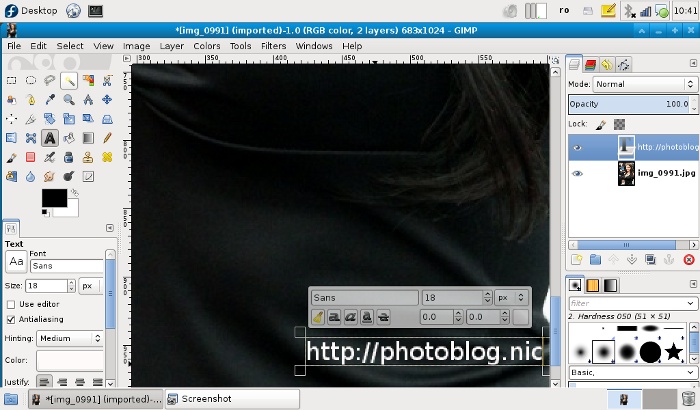
On-canvas text editing
Again with the help of Cairo, now the text editing is done on-canvas with instant preview and apply, not in a separate dialog window. Such a feature may sound trivial and expected long ago, but it needed something like Cairo for the infrastructure, is pretty and we finally have it. Is a plus.
Layer groups
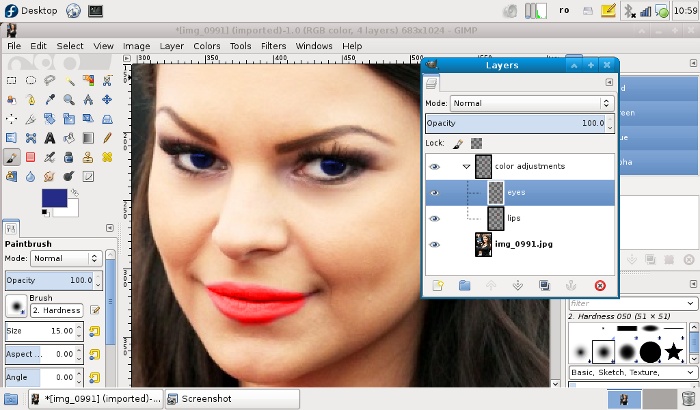
Yet another intermediary feature: now GIMP has layer groups which will help you better organize a complex work, but expect the feature to get more useful in a later release, when it will be possible to apply filters to an entire group. For now, simple operations are possible, like setting the layer mode for the entire group.
More stuff
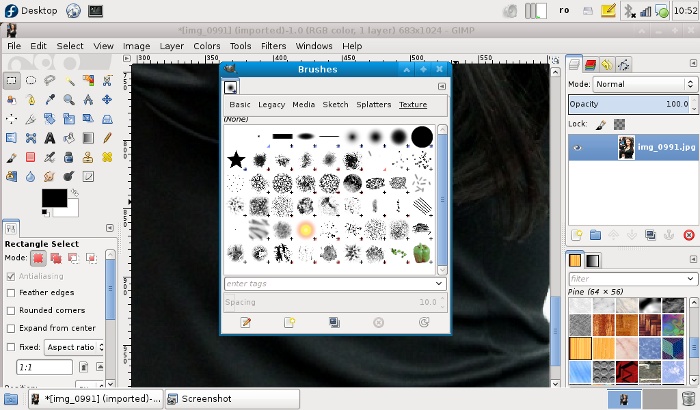
Of curse, there are more smaller features to be found there, for example the new brushes pack and an improved brushes dialog window that provides filtering for categories. Useful for digital painting.
Annoyance
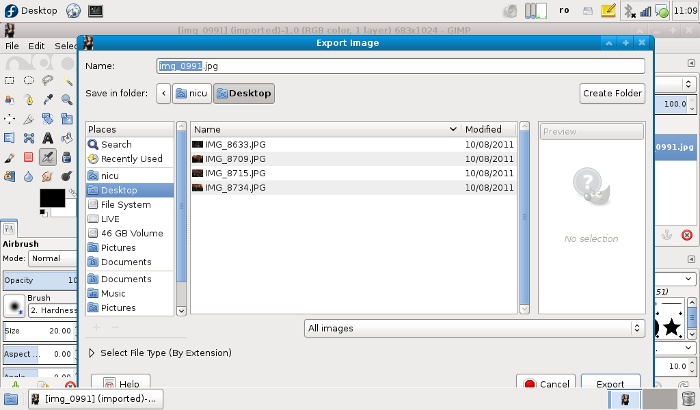
Many things changed in the new release, including shortcuts, so you will have to do some re-training of your reflexes (or go in the preferences and adjust them to your liking). For example, wanting for their app to be seen as "serious" and not only a "JPEG editor", the developers went for some low-hanging fruits, until real features will come (post 2.10/GEGL), we have face-lifts: having "save as JPEG" was not considered a professional feature, now you can save only as XCF (GIMP's own layered file format), for everything else you have to use Export - annoying then most of the time you just want to save as JPEG or PNG (and I say this with my photographer hat on).
As a conclusion, GIMP 2.8 is a worthy upgrade, but don't expect something earth-shattering. Have fun using it :)
We are restarting the monthly LUG meetings and I planned to deliver a presentation about the imminent GIMP 2.8 release (there is a lot of disinformation about it). But since GIMP 2.8 RC1 cannot be installed on older Fedora releases due to missing dependencies, I had to move with the times and upgrade the OS on the netbook. Following are my candid impressions, as a person who skipped the last two Fedora releases, so part of it may be really old and known.
The choice was Fedora 17 Beta with the Xfce spin, with the plan to update Xfce to 4.10, which is also in Release Candidate stage (to be included proper only in Fedora 18). So I downloaded a live image, put it on an USB stick and booted from it. But doing it "zero hour", I didn't use the real Beta release, but its Release Candidate, with the update to Beta to follow.
The first thing to notice booting the live image was the ugly Syslinux screen (sorry, I can't take a screenshot of that), text-only and black, but those are early stages and I don't know the design team plans about it, it may get better (or left black to fit the GNOME Shell theme?). The second thing was the almost unusable trackpad: the mouse cursor had acceleration and inertia, it made excessively hard to hit any target - icon, button, menu. So using mostly the keyboard I managed to install to hard drive.
The install is straightforward, in the Fedora style, with some refinements. I missed the package selection step, but this time was not needed (it will be for a desktop install). Still, at some point I panicked: I also missed the GRUB configuration dialog, it wrote the MBR without asking me about the other OSes on the machine, it made be wonder "is the first Fedora install to fuck-up the existing Windows install?". Fortunately, it was not the case, at the next boot everything was there, only with ugly labels. I'll have to manually edit the GRUB config later.
At the first post-install boot, the very first thing to notice was the ugly GRUB screen, just as ugly as the Syslinux described above: black and text only. And this despite the fact F17 is using GRUB 2, which has hi-quality graphic options (again, I don't know the design team plans regarding it).
Another thing I noticed was during the first boot the first user creation screen has a feature many people asked for: a checkbox to make that user an "administrator". "Wonderful, now legions of users will roam the internet with Linux desktops run by default with administrator privileges, just like Windows" screamed a voice in my head. Fortunately, it seems not that bad: I still need to su as root to install packages with yum from a terminal, but PackageKit will happily accept the "administrator" user password when doing the same.
I don't know how to take a screenshot of GDM on a running machine, but when the machine was ready to use, the GDM look was another negative thing to notice: of course its "G" stands for "GNOME Display Manager" so it looks like GNOME Shell, completely unfit to the Xfce desktop to follow. My understanding is GDM was a temporary solution and the Fedora Xfce team will replace it with a proper solution for the spin when it will reach feature parity.
Now it was the time to upgrade Xfce from 4.8 to 4.10 RC, thankfully, there is a repo for this, just download the .repo file to your /etc/yum.repos.d/ directory and then just yum update. The update has the additional benefit of bringing my Fedora install to Beta and suddenly my mouse issues disappeared, all good. For the Xfce update, it was not that smooth, a couple of conflicting packages had to be removed manually so the yum update can work (remmina-pugins-rdp and xfce4-time-out-plugin).
Once Xfce 4.10 is up, you can see the difference: the widgets are a bit cleaner, the menu a simpler structure, documents have thumbnails on the desktop. It was the time to teak the layout: I changed the wallpaper (I find the F17 default kind of cheesy), put two full panels at the top and bottom (GNOME 2 - style)
, populated the panels with applets and so on - made it a home, the result is like the screenshot below (I bet everyone got bored reading until here with only text, no screenshots) - the only thing I miss is a bit of alpha transparency for the panels, didn't figure how to enable the compositor: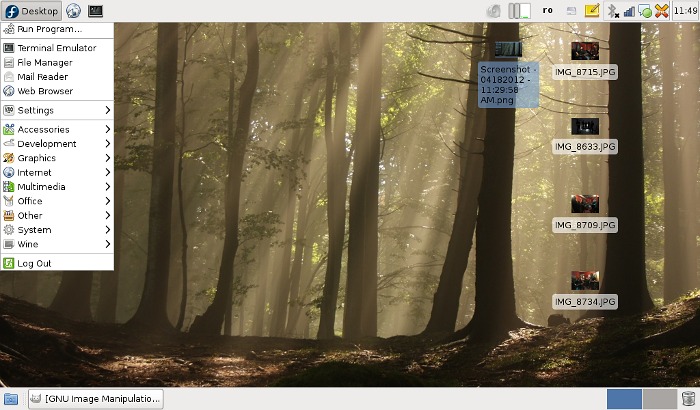
As you can see, a very familiar traditional no-nonsense desktop that will help you get your work done. Yes, there are some problems, I am unhappy the most with spacing: too much space around the items on the panel and too little space around the item in the menus, a grid too big for the desktop items with no way to override it and very small thumbnails. It can use some more polish.
Speaking of visual glitches and polish,the screen unlocker looks very old, xscreensaver has plain-old widgets (sorry, I don't know how to make a screenshot of that) and Nodoka theme, that used to be Fedora's signature looks a bit dated (its developer was pretty much alienated from the community):

Application wise, I didn't have to to much, installed GIMP and Inkscape for my work needs and the multimedia stack, which is also a must for any desktop oriented computer. Didn't explore much the default apps, I can only say I didn't like the note taking app and replaced it with Gnote, which unfortunately has poor panel integration.
While installing, I hit another glitch, which I remember from the past: the PackageKit GUI was unable to accept signatures from repos, you kit the "Yes" button and it does nothing, so after configuring RPM Fusion I had to open a terminal, su and then manually install a random package and accept the signature. After that, the GUI was usable.
In the following days I will use it more, will end my piece now with a thought about ending the Xfce session: I miss the shut-down dialog being fired when pressing the power off button.

Personally I missed the last year edition, it happened far-away in Canada (alternating locations, so everybody can attend once in a while is a LGM tradition), but now I am looking forward to meet old friends, colleagues and make new aquitances.
But I want to be actively involved, not only as a consumer, so I won't just watch the conference, but be part of the program, so I submitted, and it was accepted, a talk about Wiki Loves Monuments, the Wikipedia Free photography contest, which was the most important project I was involved in the past year - it will be a different thing, about usage and community work, in the middle of many software development talks.
I also had another idea for a talk submission - a panel about design in the FOSS world and design in the community - a debate about its possibility (design is a cathedral, FOSS is a bazaar), the traps and examples from the real world. But I was a coward: figured is a very controversial topic on which I may get very acid, chickened-out of this flamewar. But while still considering it, I pitched the idea to a friend and the panel will happen. With a different team and a completely different outcome. I may troll it from the audience :D
So long story short: come to LGM, it will be tons of fun.

Long time no new Free wallpaper? Then is time to correct that. And being the hanami time, when people go out and watch sakura, a proper picture has to be about Japanese cherry trees in full blossom (most of the pics I took here have also people in them, which makes them unsuitable as wallpapers so just only one today):

How it's made
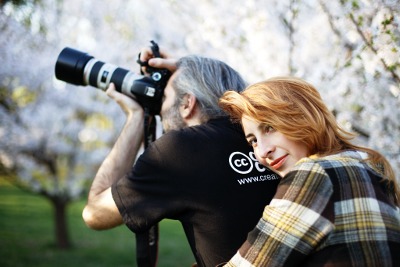
If a single pic is a bit on the little side, then I have to add something... maybe a "making of" picture, taken when I was struggling to catch the proper back light for the photo above. Complete with the black CC T-shirt:
I may be (half) joking sometime, but it happens to be serious too: encountered an old laptop (in bad shape, lot of dead pixels and such, it was a workhorse back in its time) which refuses to play along with Windows: bluescreen at startup, bluescreen at fresh install, hardware problems. The first thought: memory problems but memtest96 running from a Fedora live CD disagrees... but if I booted the device from that CD, just for the kicks I booted the distro (F14): works correctly, no lock-up, even WiFi is supported OOTB (so I suspect the hardware problem lies with the video card and is triggered by real use, not by the VESA driver).
The laptop won't go for repair, so I have to do something... then I was struck: if Linux seems to work on it, let me put Linux as a full install: is going to be used a few days until the main laptop returns from the repair shop and then occasionally by a kindergarden kid (rarely and under his mother's supervision). Then... which flavor? At first I wanted a recent Fedora (F16) with Xfce but then it struck me: there is something better for the task, CentOS 6.2 with a full GNOME install, a sane desktop, working close of what they know and expect and relatively recent software (they don't need bleeding edge stuff like me).
A friend of mine asked: why not Sugar? and my only reply was "hahaha!" those people already used computers, they expect a panel, a Firefox icon, file icons, multiple windows... something that won't look alien. And even the kid will use it with the mother next to him, and she needs to understand it.
So the CentOS install went smoothly, starting from a live image, installed it to the hard drive, updating the software (you can get even Firefox 10, so is quite new) and then completing the install with some multimedia packages (repoforge filled the bill for this) and a bit of customization of the layout, to be more Windows-like.
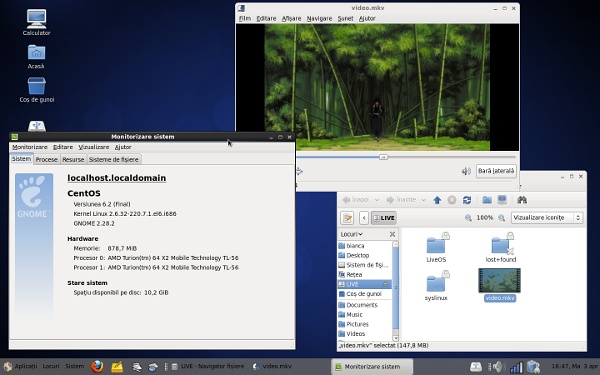
As a conclusion, CentOS is a good option if you want a solid, classic desktop that works the way you are used with. The packages are (yet) relatively recent and will stay the same for the life of the current Fedora release, so you don't lose much. The looks of the distro are somewhat split: while the boot animation is beautiful, when you get to the desktop, there are still some Bluecurve icons (for LibreOffice). I would use that for myself? no. I would recommend it for others? yes.

Last Saturday from 20:30 to 21:30 it was the Earth Hour, celebrated worldwide, including in my city. Last year it was quite weak, so I could very well stay home and play some PC games, but a group of friends had plans to go to the Izvor park and take photos of a fire show organized for the event and my girlfriend learned about an Earth Hour themed photo contest and persuaded me to participate. Ok, here we go.
The contest was a bit fishy (in the end I concluded I won't send any photos, but that's a different matter): at the last moment, instead sending a list of places where thing happens, they said "nothing happens in Bucharest, so you can shoot anywhere you want, even at home" - but things happened, the above-mentioned fire show and two other symphonic concerts in a couple of other parks. But they were advertised on a competing website, one with and another without a "-"... fishy as said.
Fast forward to the show place, the first thing I saw there was the URL of the organizers in huge letters on the ground, covered by many candles and I wondered: is not about saving the planet? All the candles will send CO2 in the atmosphere... good thing we have some forests left to break it again. I guess is not about saving planet but about feeling ourselves better. Fake.
Fast forward again, shutting the lights off time... a number of buildings, from administrative ones to cultural institution to even hotels, were supposed to close the lights, including the Palace of Parliament, in the background of our location. Guess what? They closed a few lights and dropped a lot of curtains, so you think the lights are off. And it was Saturday evening... nobody working there, no Parliament, no other governmental institutions, at that hour probably not even the cleaning personnel.
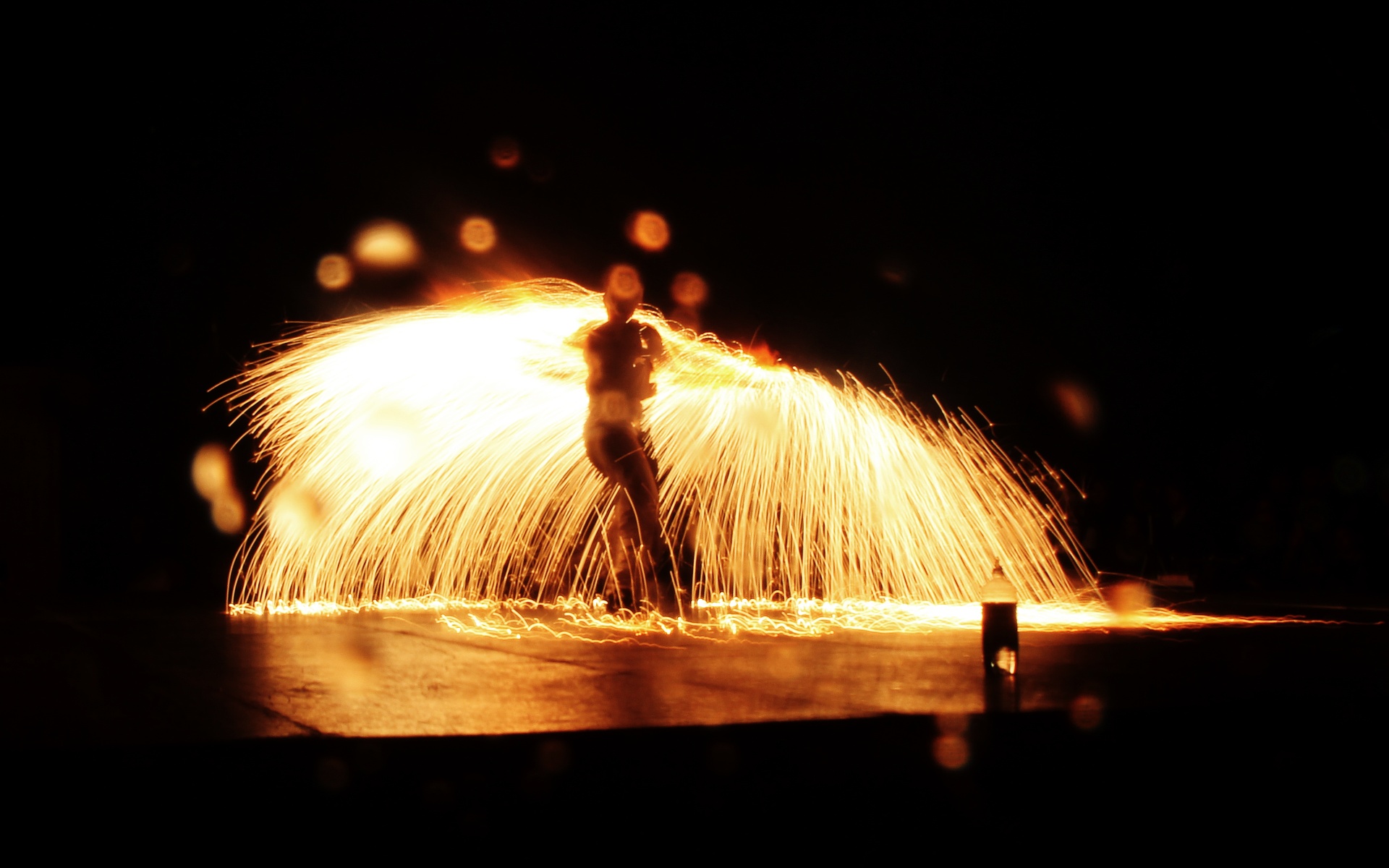
Once the lights were "off" the fire show started, it was spectacular but as ecological as... see the illustration below:
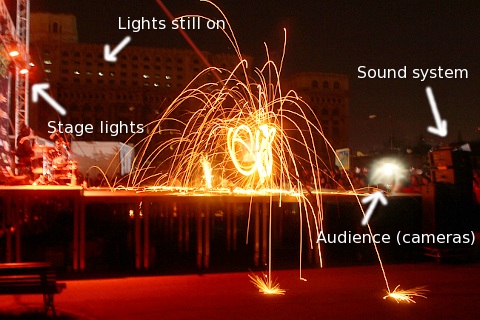
So let me count:
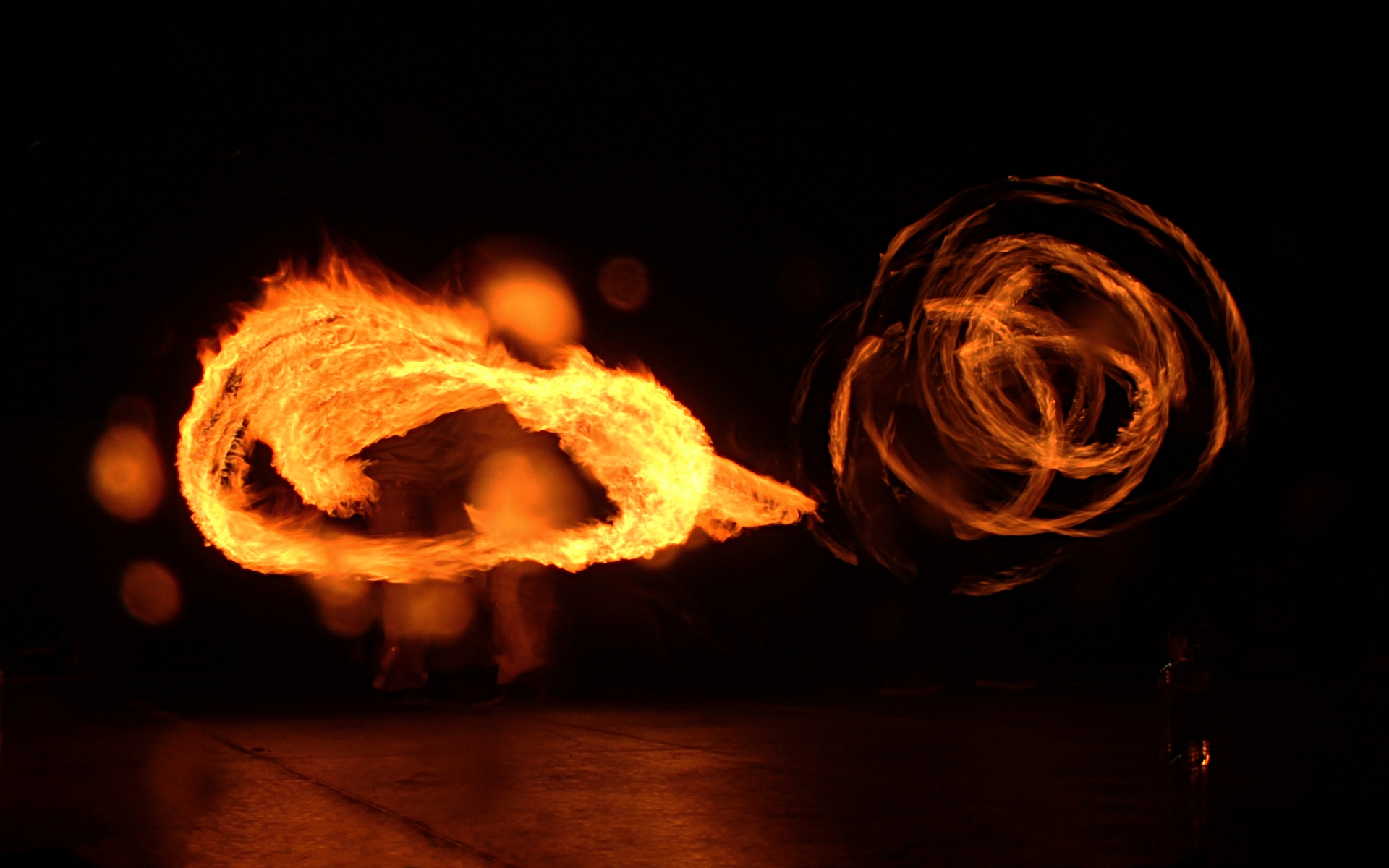
But enough with the negativism, as I said the show was spectacular and I, as many others, took a lot of pics. As a reward with the audience putting-up with my rant so far, here are a couple of those pics optimized as wallpapers and freely licensed (CC-BY-SA).

I am a Linux geek and I am surrounded by geeks, but I also live in the real world: I may not see 99% of computers running Windows, it may be around 90% (approximate numbers pulled directly from my ass) so I still have a sane look of the computing world. And one of the aspects of this world that made me think was the omnipresence of WinRAR on the computers around, it is close to 99% of the desktops and laptops with Windows (again, anecdotal from Romania), to the point where all the computers I encounter have WinRAR - I usually uninstall it and put 7-Zip instead, able to open .rar, archives to open and create .zip, Free Software... When I happen to install a Windows, I put 7-Zip right from the start. And sometime it happens to see WinRar added back...
I gave this some thought, what's the reason for WinRAR's omnipresence and I concluded it the network effect: RAR was used a lot for warez, it was popular for its compression rate (a bit better than Zip) and the ability to make volumes (the warez was packed in floppy-disc sized volumes). So a lot of people needed at some point a .rar unarchiver, they went with the first hit from search engines: WinRAR, which once installed put itself as the default, making all future archives produced from that computer in .rar format. The archives were shared, resulting in other people needing and unachiver, other WinRAR installs, defaults and more files sent that way.
Today we have broadband connections, fast internet and large storage, most of the files we send are lossy compressed (jpeg, mp3) and it make little sense to compress them further (practically no space is saved) but it is still convenient, is way easier to send one file, the archive, instead of many - think for example how many clicks would be needed to attach them in a webmail interface.
Of course, it also helped WinRAR was nagware: a full functional copy could be downloaded at no cost, it (I don't know about today, never used it for years, I am just uninstalling it) used to have a nag window, asking to pay or press one more button (IIRC), so people were not pirating it and had no reason to feel bad.
Having in mind those thoughts about RAR and its network effect, I noticed this morning an article about how Live Messenger is censoring links, IM is another case of network effects, and here in my country Yahoo has a monopoly on that (I talked about it before). Still, there are a few dents in Yahoo's monopoly, made by the Facebook chat (we geeks with Jabber and/or GTalk are an insignificant minority).
There is an ongoing debate on the advisory board list about the naming of Fedora releases, it started from a ticked for the Board (not public) where, as I understand, complained about "Beefy Miracle" connotations in some cultures (cattle slaughtering). This sparkled a discussion about the purpose and meaning of release names in general, if the tradition is to be abolished, continued or changed and such.
I wish we had a more relaxed community, where people have fun and feel good, don't get easily offended. For example if the Beefy Miracle successor happens to receive an Indian food name, as there are some proposals, I would like people from Western cultures not complain about it being "obscure" but get the opportunity to learn, maybe have some of our Indian contributors putting up tutorials about making that dish and some of us trying them, why not?
PS: this opinion is not related to my Indian experience, I would say the same about any "exotic" alternative.
The other day I had some intense graphic work, paying a lot of attention in Inkscape to drawing details, so a bit of relax was much needed, then I noticed a message posted to the Fedora marketing mailing list about some yet another distro review, I usually don't read those but as I said above, was tired, needed some light activity already had the daily 9GAG dose, so away with the reading :)
It was a Fedora 16 and GNOME Shell "test and review" on Tom's Hardware. Normally I would stop here, but the first paragraph (in bold) caught my attention (and, remember, I was in need for some light activity):
"Ubuntu and Mint don't want it; Linus called it an “unholy mess.” While most other distros are passing up or postponing GNOME Shell, Fedora is full steam ahead. Does Red Hat know something the rest of us don't? Or is GNOME 3 really as bad as everyone says?"
OK, so it is a piece about Fedora and GNOME Shell, as seen from the eyes of someone in the Ubuntu camp (according to the author, they sometime cover Ubuntu, no other distro so far, but want to expand the area of coverage). With this bias in mind, I can proceed to reading, but read it as you "read" those articles on hardware review websites: the first page, jump over the million of "tests" on separate pages, made for ads impressions, straight to the conclusion were I see this gem (with which I agree wholeheartedly:
"The only thing really wrong with Fedora 16 is the choice of GNOME 3 as its default desktop environment. This distribution is for the people who make Linux, not for the Win/Mac converts. GNOME Shell is most obviously intended for the uninitiated masses, not the developers. Putting aside any gripes we may have with it, from it's very inception, GNOME 3 simply wasn't the right fit for Fedora."
Then it goes on wipping the floor with the desktop, and rightfully so. Then comes the solutions part, where I find myself in disagreement, as the author talk about a monster resulting from the combination of GNOME Shell and Unity, complete with mockups.
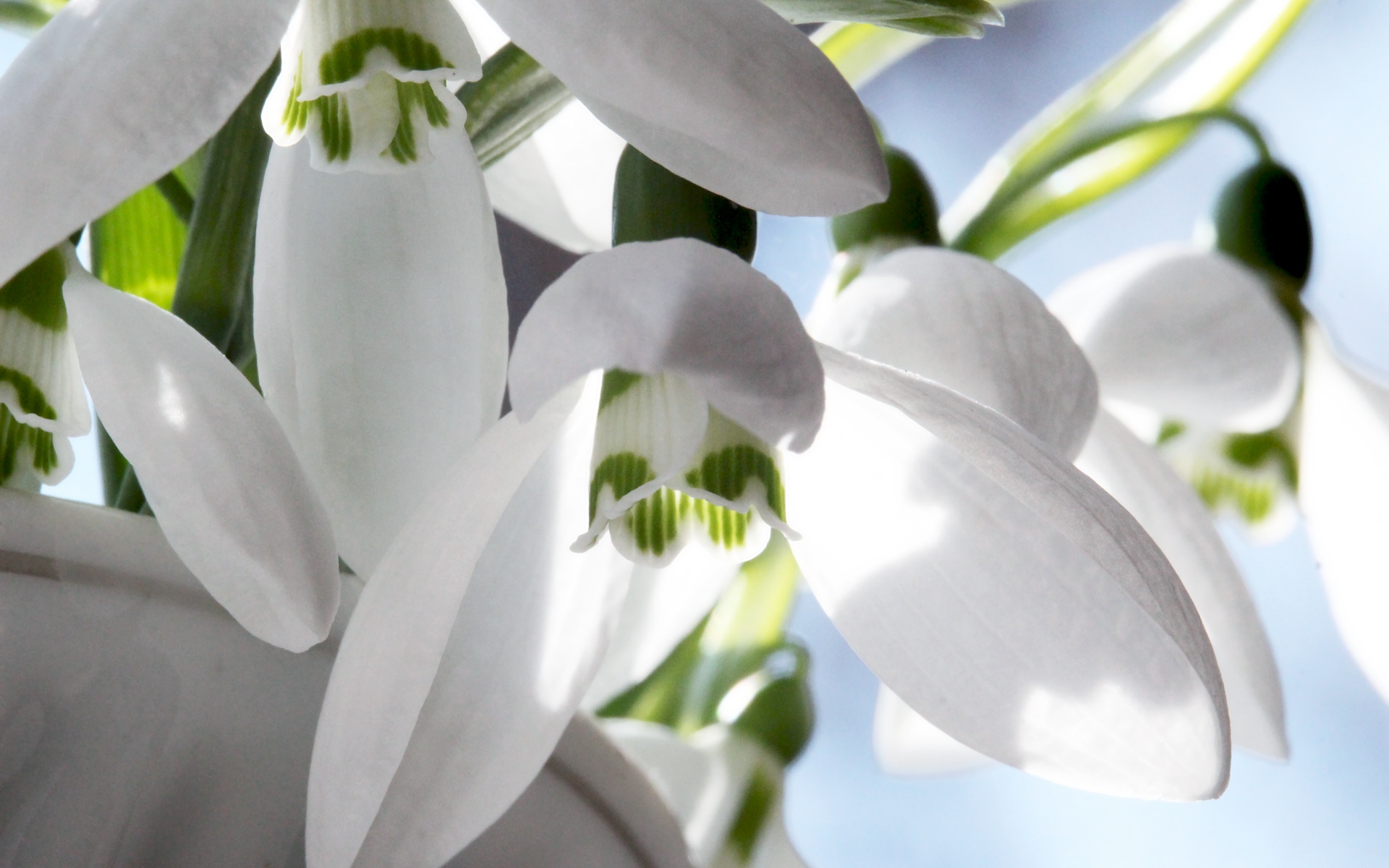
A friend of mine (anecdote: she's a programmer at Microsoft) asked me for a larger-size version of this image, quote "not facebook quality" to use as a wallpaper. So if I optimized the image, I figured it make sense to share this snowdrops wallpaper with everyone. CC-BY-SA, of course :)
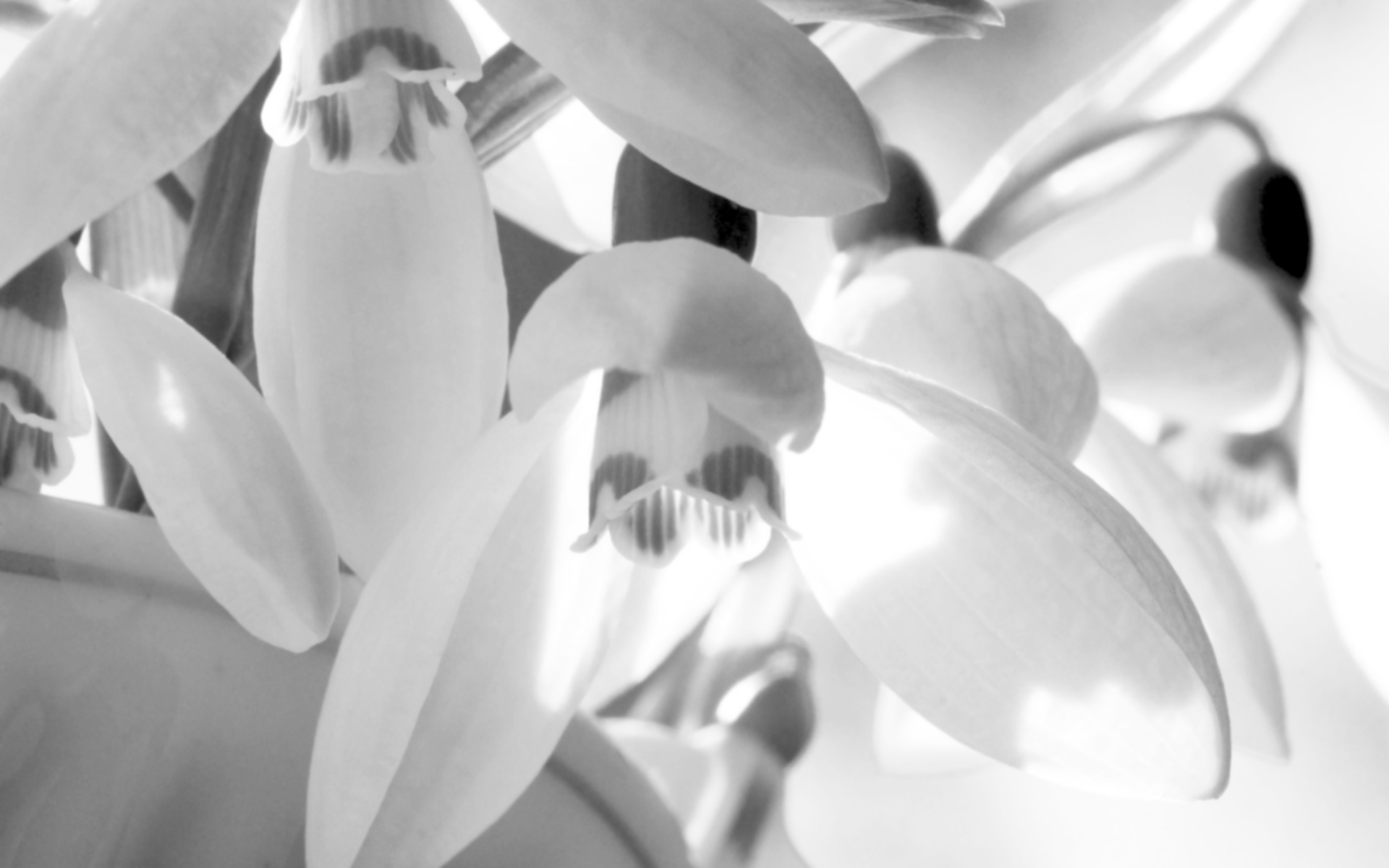
Maybe a softer, black-and-white version works to? (I usually prefer full-color):
I know Bruce Byfield as a good journalist, when I see an article is written by him I usually make the time, read it and most of the time agree with it (not 100%, I am a human, not a sheep). I think I even quoted his articles as good examples on occasion. This is why I am surprised to see such a bad piece, where he is wrong on all accounts, maybe because the article titled The GNOME 2 Zombie addresses a topic I happen to know some, I am able to judge better the text quality?
Anyway, that is yet another piece about the GNOME debate, this time with a new angle: GNOME 2 is dead and buried, still its users want it alive, as Bruce says, a zombie. Then the author tries to investigate why some people like the GNOME 2 interface and makes the effort to demolish all their arguments. And, in my opinion, he utterly fails. He identifies 7 sins about he argues are capital and should make people hate GNOME 2 instead of loving it. Here it goes:
Tools No One Wants to Use
Here are a number of examples: Epiphany, Evolution, Abiword and Gnumeric, which are GNOME applications, he say, included by default by some distros, he says, and used/wanted by virtually nobody, he says. Where should I begin? OK, the first thing that struck me was Bruce saying "For instance, Epiphany is a Mozilla-based browser with fewer features than Firefox" which shows how little research was made before writing this - Epiphany changed from Gecko to WebKit years ago, if the rest is equally researched should I continue reading? I read, since I trust Bruce.
I use Fedora and Epiphany was never a default, the distro always had Firefox as the default (many others did the same), still I kept Epiphany as a backup browser, along with Seamonkey: useful when you need multiple profiles on the same website at the same time. Evolution? I always preferred Thunderbird, but I know plenty of people using Evolution, which is more integrated. As for Abiword or Gnumeric, when they were a default this happened on the live CD, where there was just not enough space for a full OpenOffice.org/LibreOffice.
And, last, I suspect Epiphany and Evolution are defaults in GNOME 3 too, so what's the point?
The Applications / Places / System Menu
This is a diatribe against the menu system "GNOME 2's three-part menu might be called its main identifying feature. No installation is without it. Yet, for all its omnipresence, it's irritating to use." It is pretty much a personal opinion and one made by an author who started by acknowledging he is a full time user of a different desktop environment, KDE, so biased. What can I say here? Of course other people, those who prefer GNOME 2 thins it is an easy to use feature, not an irritating one. For me, using it is a reflex.
The Classic Menu
Another diatribe, this time against the Applications menu "An extreme example of this problem is the infamous Debian menu, which may list everything installed on the system, but also goes at least five levels deep." A sane distro and an average install won't have something close to that. Yes, sometime I may have to vertically scroll the menu on the small display of my netbook, but I found this preferable to the small and fixed-sized start menu in Windows 7 or KDE, where you have to flip page after page before reaching what you need.
The Stagnation of Applets
This time he start by being right, in the last GNOME 2 iterations, applets became less and less useful. What Bruce misses is this was a deliberate move of the GNOME 3 developers for the transition, so if there is something at fault, is not GNOME 2, but GNOME 3. Users will definitely prefer the applets in GNOME 2.28 rather 2.32.
As a reminder of the bias, we are served a comparison with the KDE widgets. Thank you, we were aware about that :)
Controlling the desktop from the file manager
The author find awkward to control the behaviour of the desktop (icons, trash, external media) from the file manager, preferring a separate System menu item (after he complained in the previous items about the menus' length). And he wonders "Exactly why the arrangement made sense to developers in the early years of the millennium has never been clear to me." I guess it make sense to have them this way when you have checked the option to use the file manager to handle the desktop. And is not like to change this setting multiple times a day. Is something minor.
Useless Default Icons
Having the Computer and Home icons on the desktop are not the fault of the GNOME desktop, is getting users what they are used to have since... Window 95. And it does not takes more than a couple of clicks in TweakUI to remove them. This issue is filler, totally minor, put here just to increase the sins count to 7. Myself, I removed the Computer icon from the desktop but still have Home, is one click faster than going to Places.
Over-Simplified Designs
This starts with the strawman of Linux Torvalds criticising GNOME 2 for lack of features years ago (after which Linus moved to use GNOME himself, after which he moved to the even lighter Xfce) and then goes to compare applications from GNOME and KDE and find GNOME apps missing features. This is yet another strawman: if an app is light in features in GNOME 2, it will be light on features on GNOME 3, so is not a reason not to miss GNOME 2 in GNOME 3.
There are a few examples, I will pick one: Brasero versus K3B and at first I will agree, K3B has many more features than the default GNOME solution, years ago I used myself K3B as the CD burner on my GNOME desktop, but since those years I didn't feel the need... a feature I have not used in 3-4 years I would call unimportant. And if I need the advanced functionality, I can just install the app - this is what I do for video editing, not happy with the GTK+ alternatives, my video editor of choice is Kdenlive, I may not enjoy the sight of QT widgets, but is more important to get the job done.
As for the conclusion... I don't understand what is the conclusion: GNOME 2 is dead and won't come back, GNOME 3 sucks due to its wrong design decision, forks as Cinnamon are weak and not long term solution, then... what to do? Probably move to Xfce or KDE, but Bruce forgot about this as a final conclusion.
As for the comments, there surely are people attacking the author for unknowingly criticise a desktop that he's not using himself, people appreciating the GNOME 2 menus and applets, people who notice some of the flaws in argumentation I mentioned before, but I find the most insightful what the reader Andy says: "You have focussed on small issues, ignoring the Big Picture. People are trying to keep hold on the Icons On Desktop metaphor, with Overlapping Windows, minimise/maximise etc. That's what there's a curious and unwanted shift away from recently, with Unity, Gnome 3 and Win 8 - and we don't like it!"
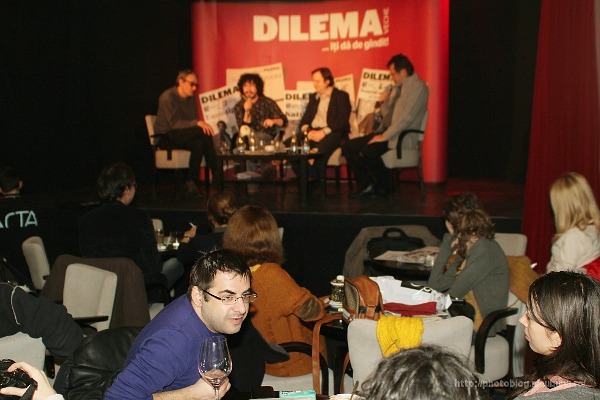
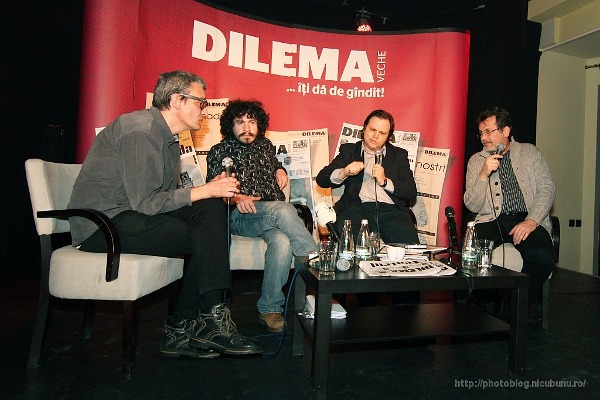
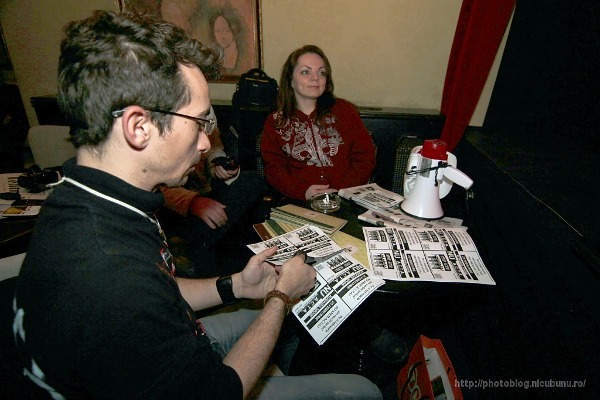
I am not sure how it happened, but while I was away, somehow the Romanian society got interested in ACTA and the topic became hot and trendy, trendy enough to rally all hipsters in a try to "save the Internet". Which is not a bad thing, the Internet is in big need for more freedom and protection. You see the topic on the news, magazines and TV, people talk about it... so yesterday evening a magazine organized a debate at a fancy cafés "ACTA and the Internet. The end or the beginning of an era?"


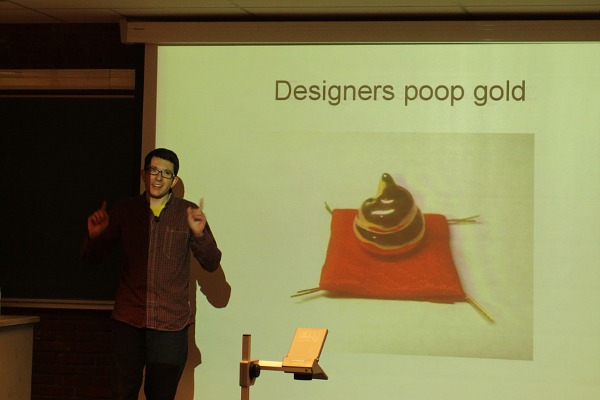
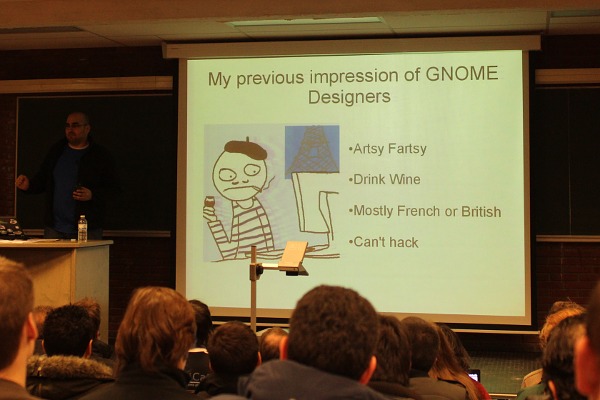
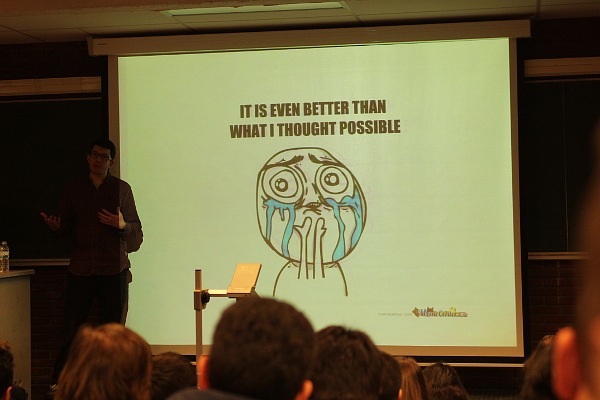
Below are a few snaps from a FOSDEM presentation by GNOME's Allan and Seif about "how to trick a developer to being a designer":
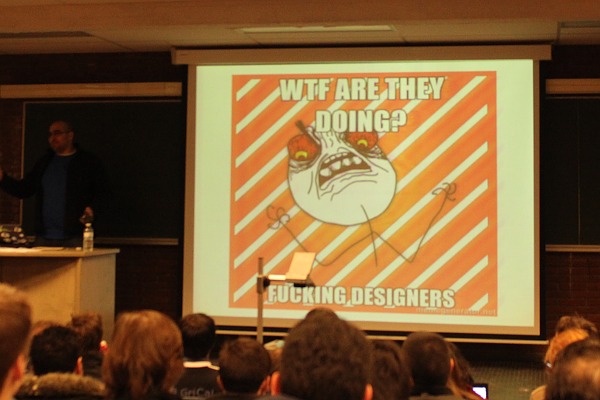
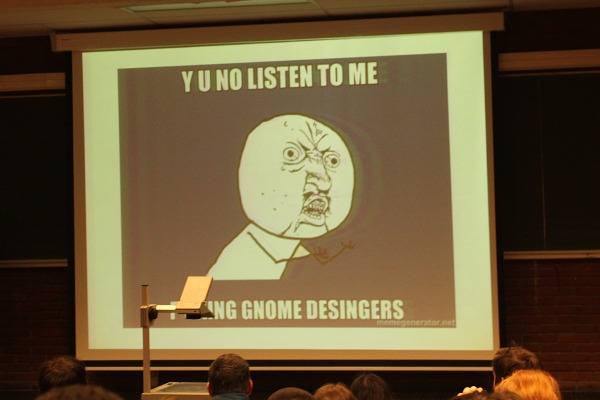
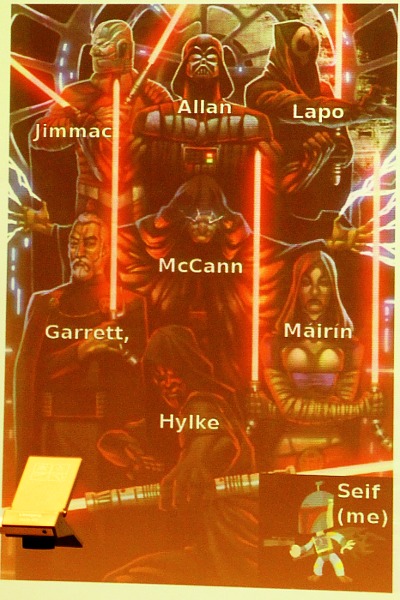
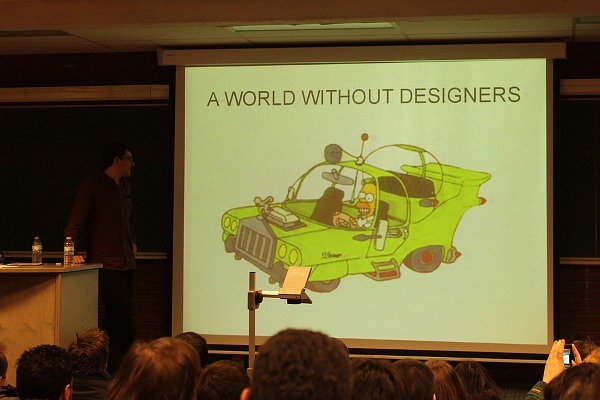
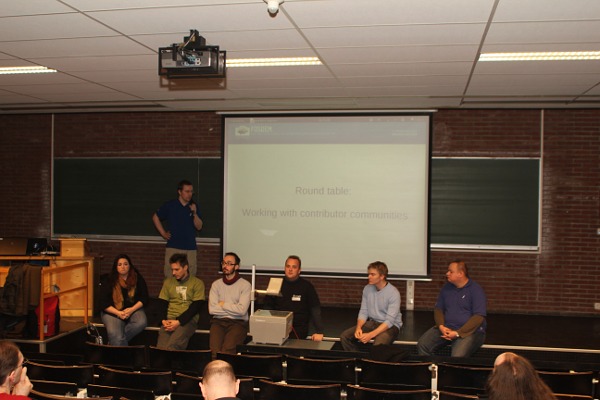
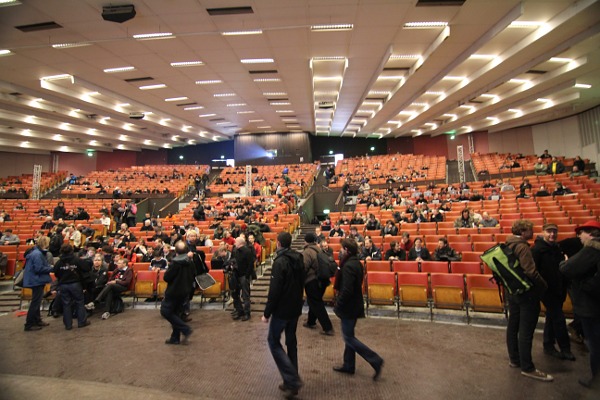
Right now I am sitting in the room 1301 of the H building of the ULB at FOSDEM 2012 and watching the Working with contributor communities round table, which is moderated by Cristoph, which tries to be as impartial as possible:
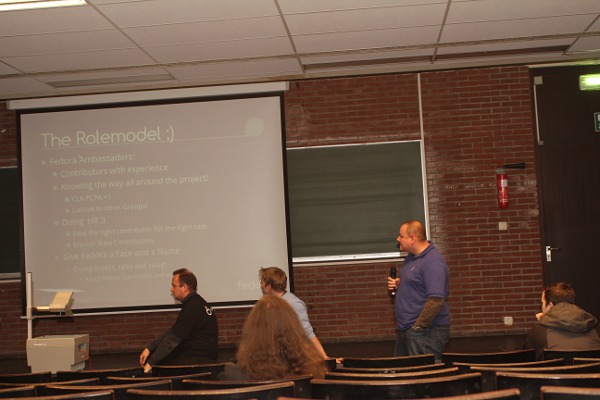
On behalf of Fedora (other represented distros are, from left to right, Ubuntu, openSUSE, Debian, Mageia and Gentoo I believe) we have Joerg speaking:
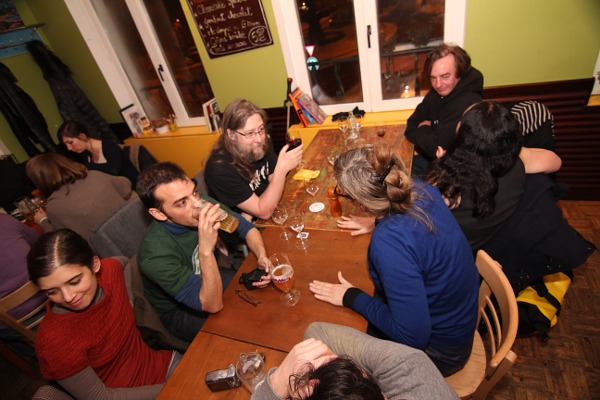
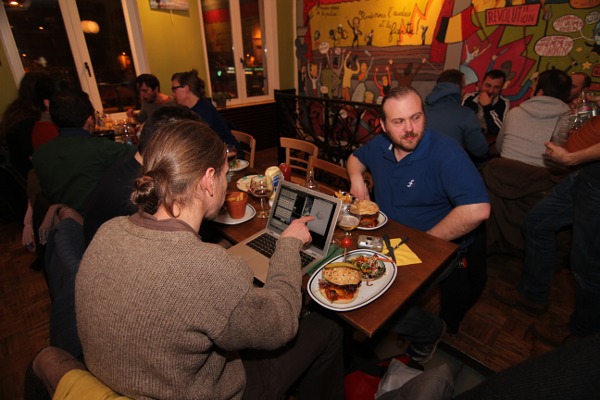
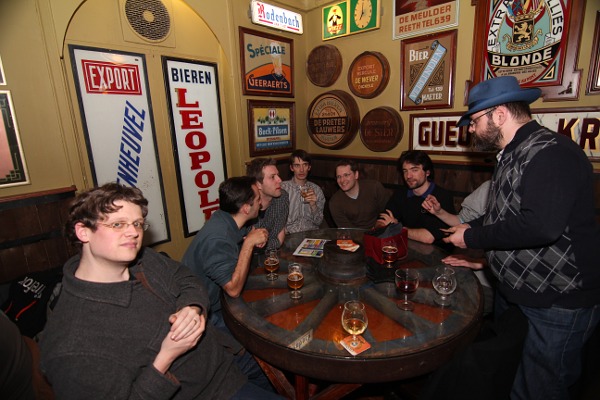
Yesterday evening, after the first day of FOSDEM, there was the dinner of the Libre Graphics people, talking about the upcoming conference in May in Vienna but not only, mostly having fun and catching-up:
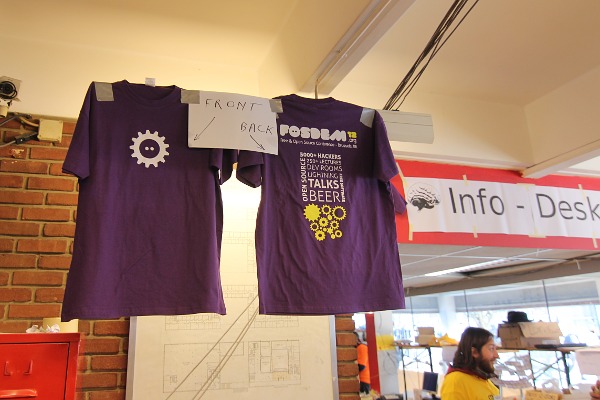
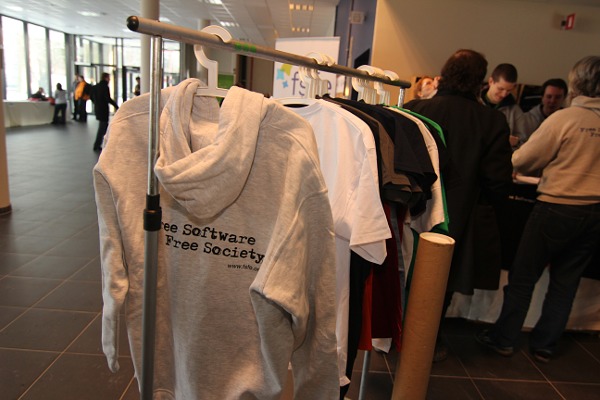
I got a couple of personal requests, so I cannot disappoint my fans, fulfilling their inquiries now. One was for a picture of the official FOSDEM T-shirt design for this year (this is a tradition for the conference, to come every year with a completely new design):
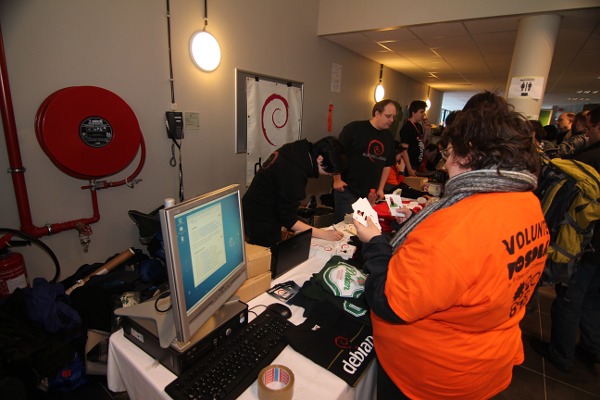
The other one was for a photo of the Debian booth, which happens to be this year one of the busiest, being fillet with a lot of merchandise, mostly nice T-shirts. Too bad I don't see the Debian wine any more...
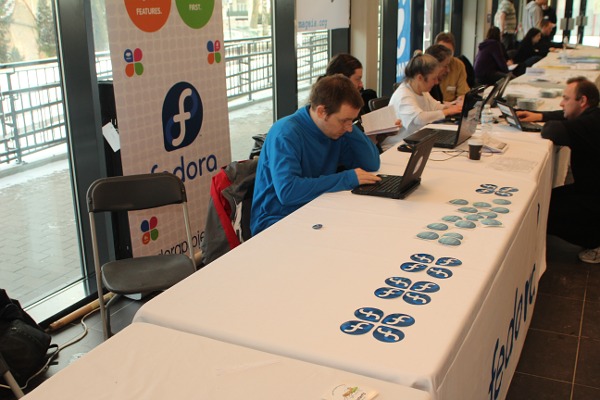
And being a nasty person, I will complete the circle with a picture of the wasteland at our own Fedora booth:
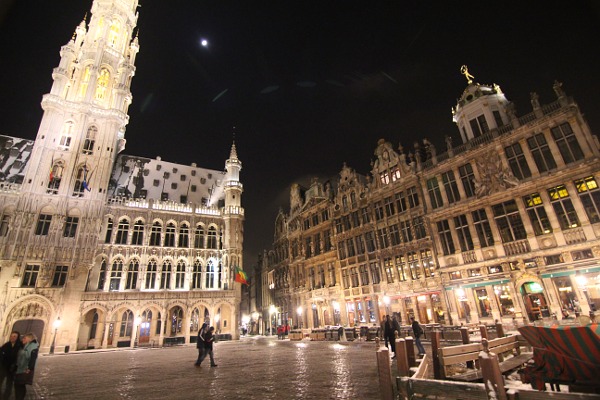
After many adventures in snow and very cold weather (an about 5 hours delayed flight) I managed to finally reach a frozen Brussels yesterday late in the evening:


 Posts
All Comments
Posts
All Comments


